
01EDGE EXECUTION
Professional Line · Edge Execution
Local production execution for code capture, validation, packaging aggregation, label printing, rework, loading and trace history, with direct equipment integration.
RICOS TRACE uses product identity as the data backbone to connect shop-floor capture, packaging aggregation, labeling, controlled rework, shipment loading and trace history. One platform spans edge execution, standardized workstations and centralized SaaS management.
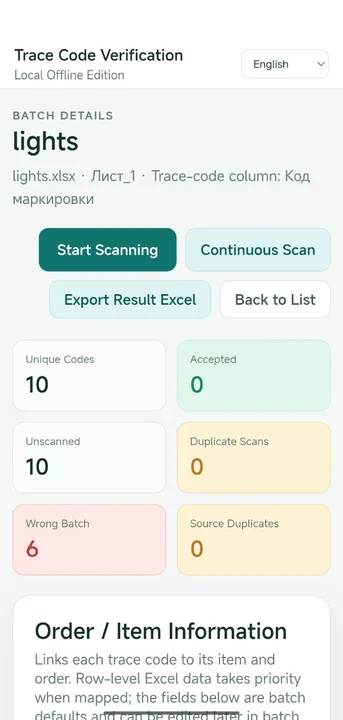

The platform coordinates shop-floor execution, standardized workstations and centralized management around the same identity, relationship and event model.
Local production execution for code capture, validation, packaging aggregation, label printing, rework, loading and trace history, with direct equipment integration.
A standardized workstation form that packages industrial computing, reading, printing, signaling and local execution into a repeatable deployment unit.
Centralized organization, user, project and site management, providing a management plane above distributed edge execution without turning high-frequency production into a cloud dependency.
It keeps high-frequency production operations and equipment interaction local while continuously contributing identity, packaging, rework and shipment facts to the platform trace model.
Each operational step contributes validated relationships or business events to the trace history, so the final result reflects what actually happened on the shop floor.
Define customer, specification, production recipe, packaging levels and identity sources.
Acquire real product identities from fixed readers, batch vision or HID scanners.
Create validated parent-child packaging relationships according to the active production model.
Apply generated or customer-provided packaging identities and print labels when required.
Perform controlled packaging corrections while preserving hierarchy, capacity and dispatch constraints.
Record actual transport loading and shipment closure as separate logistics facts.
Query identities, review historical facts and export actual packaging and shipment results.
The platform is designed to keep identity, relationship and event semantics stable while deployment forms and connected systems evolve.
Represent customer, specification, quantity, packaging hierarchy and identity-source differences through configuration rather than fixed process code.
Normalize fixed readers, batch vision and HID scanning into one validation and execution path.
Build adjacent packaging relationships across arbitrary configured levels without hard-coded box/pallet/container semantics.
Support generated identities, customer-provided identifiers, SSCC scenarios and controlled label output.
Rework changes packaging facts through explicit operations while retaining validation, audit and downstream constraints.
Preserve actual loading, shipment and historical facts so trace queries and exports reflect operational reality.
Production, packaging, rework, dispatch and traceability run through the same execution model and integrate naturally with workstation and SaaS management capabilities.
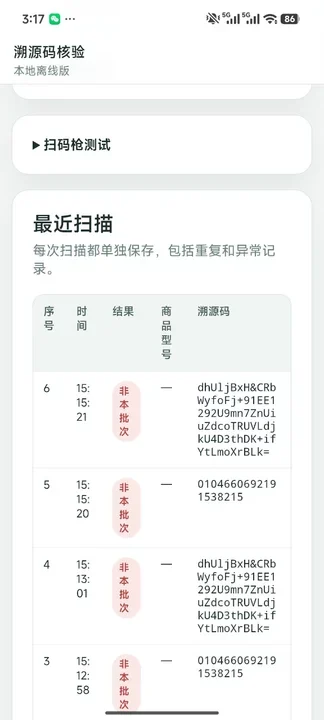
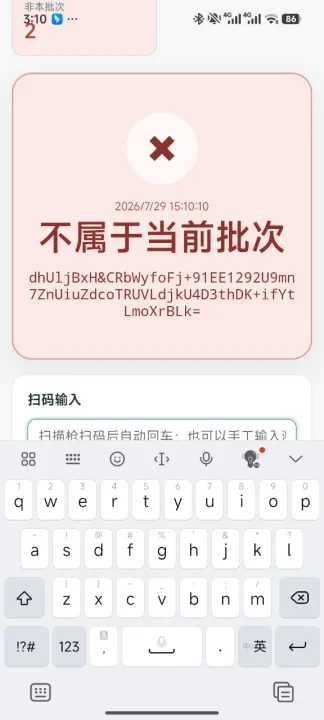
This separation allows packaging structures to evolve by customer and specification while shipment records remain operationally accurate and independently traceable.
Choose the combination of edge execution, integrated workstations and SaaS management that matches the deployment scale and operating model.
Current edge execution product for production traceability, packaging aggregation, labels, rework, dispatch and history.
A standardized integrated workstation for repeatable industrial deployment, combining computing, reading, printing and local execution.
A centralized management plane for organizations, users, projects and sites above distributed edge execution.
Share your packaging hierarchy, identity rules, equipment interfaces, number of production sites and existing systems. We will define the boundary between edge execution, workstation standardization and centralized management.